
Your wallet, in five minutes.
No API keys, no spreadsheets. Just add a card or two and Finstracker tells you what's earning, what's expiring, and what you're leaving on the table this month.
Make an account
Pick a username, set a password, you're in. No card number, no SSN, no plaid handshake. Finstracker never touches your bank; you tell it which cards you carry, it does the rest.
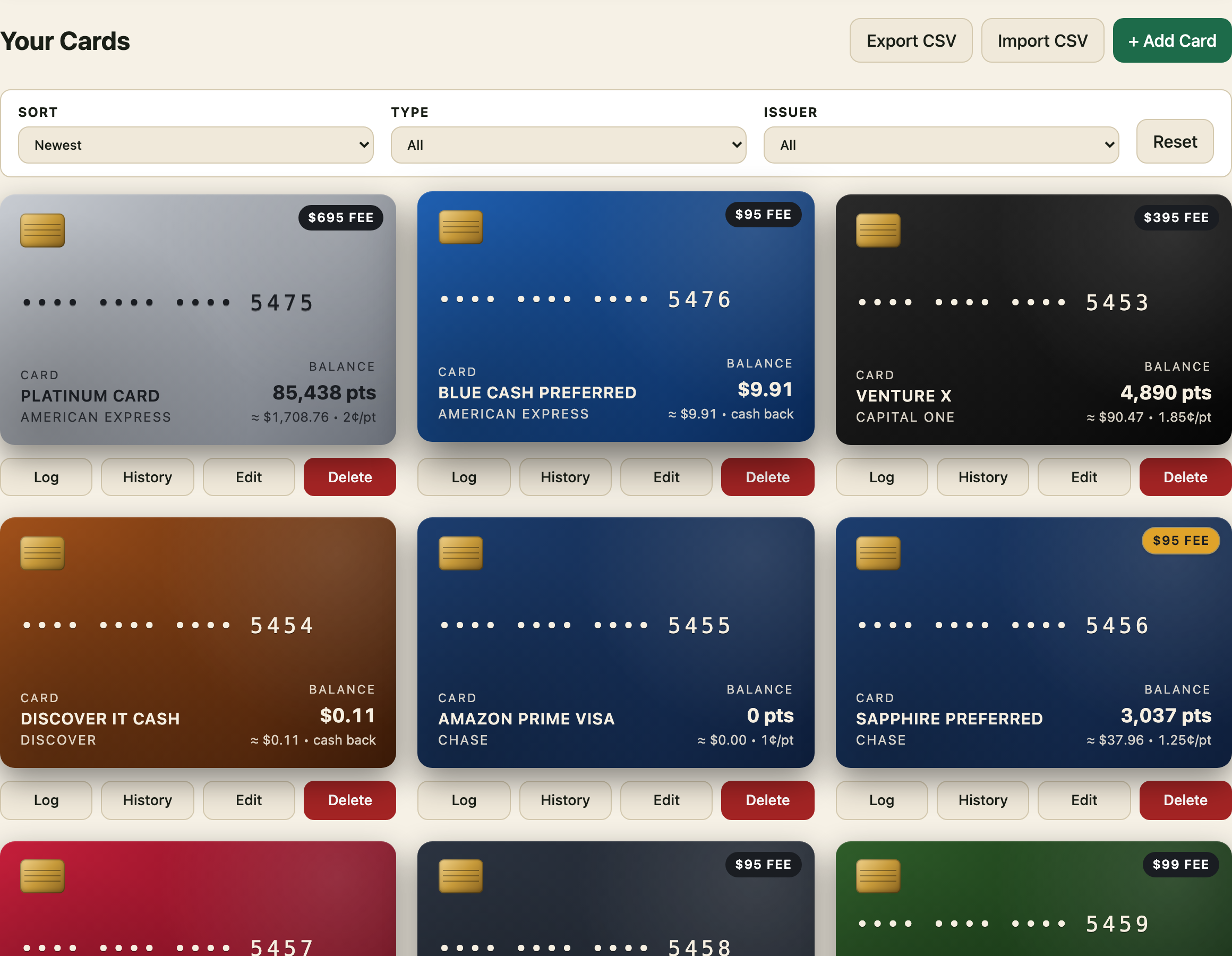
Add the cards you actually use
Hit the catalog and pick from the major issuers (Chase, Amex, Capital One, BoA, Discover, the rest). The moment you add a card, its perks and rotating offers populate automatically. You're not typing in $25 Walmart+ credits one by one.
Glance at the dashboard
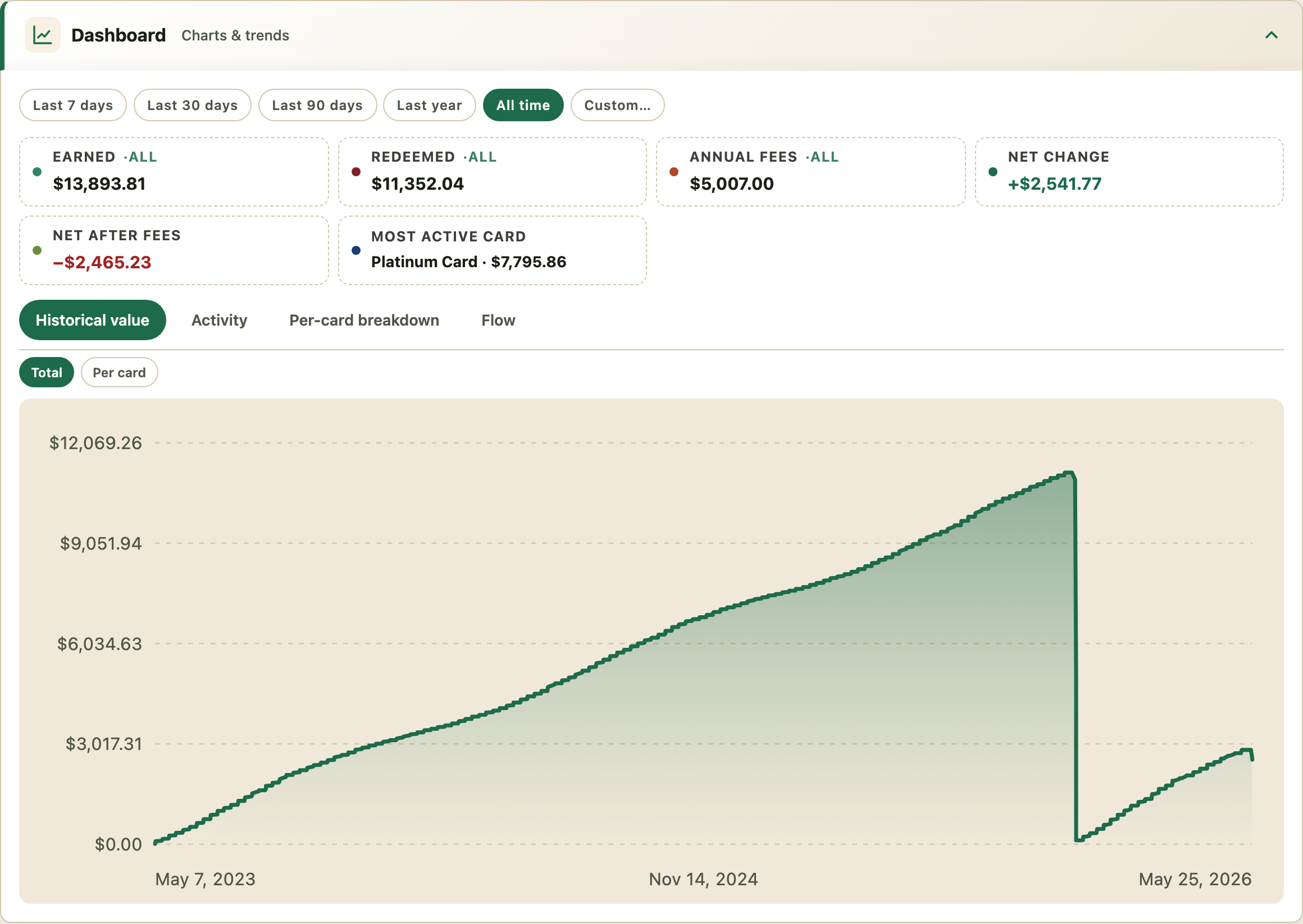
The dashboard answers one question: am I in the green? Total earned, redeemed, annual fees, and net change after fees, all on the same screen. The chart at the bottom tracks point/cash value over time, so you can see whether your strategy is actually working.
Check off perks each month
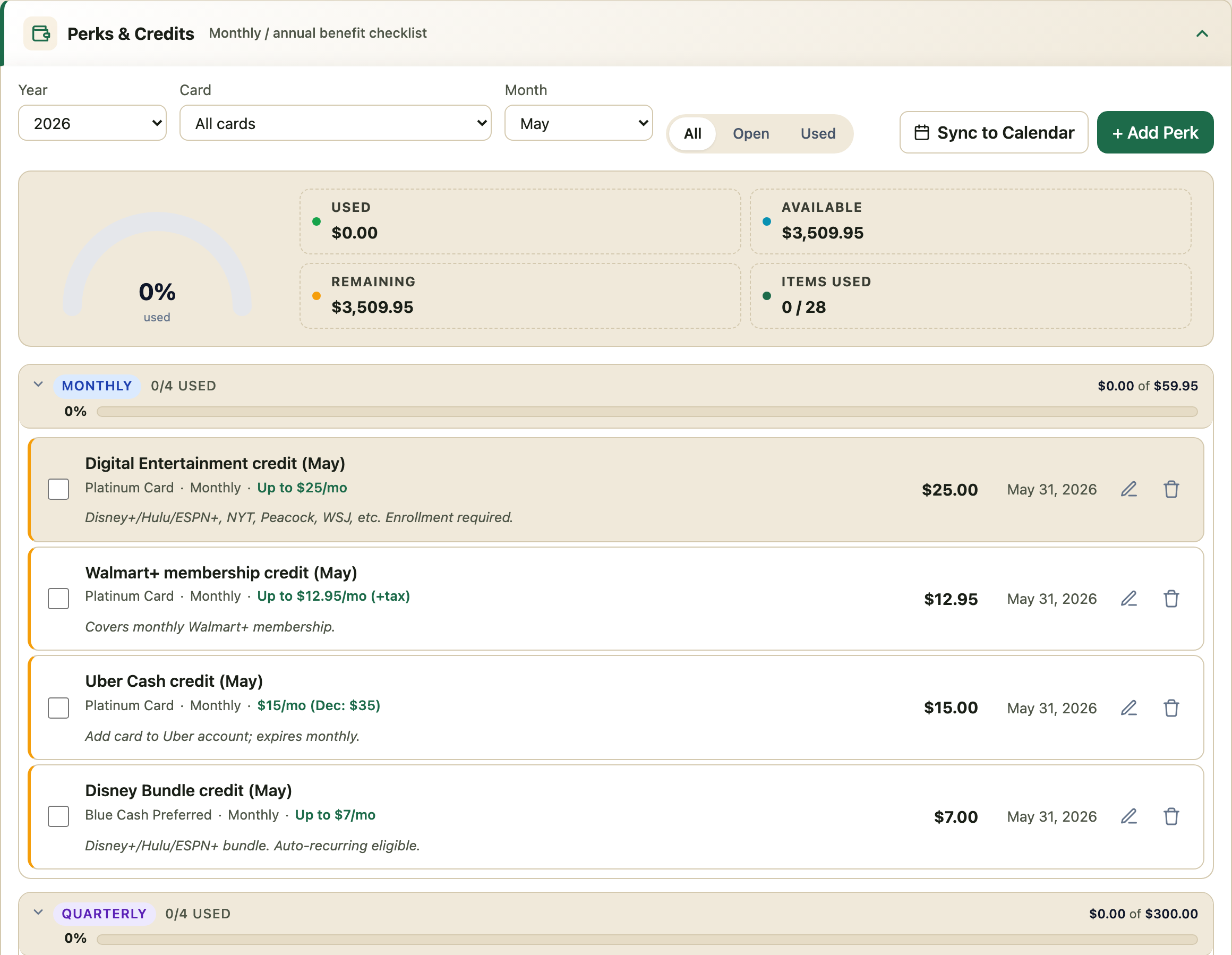
Most premium cards die from a thousand uncashed $7 credits. Finstracker groups every perk by cadence (monthly, quarterly, annual) and a gauge tells you exactly how much of this month's value you've actually used.
Save the offers you'll actually use
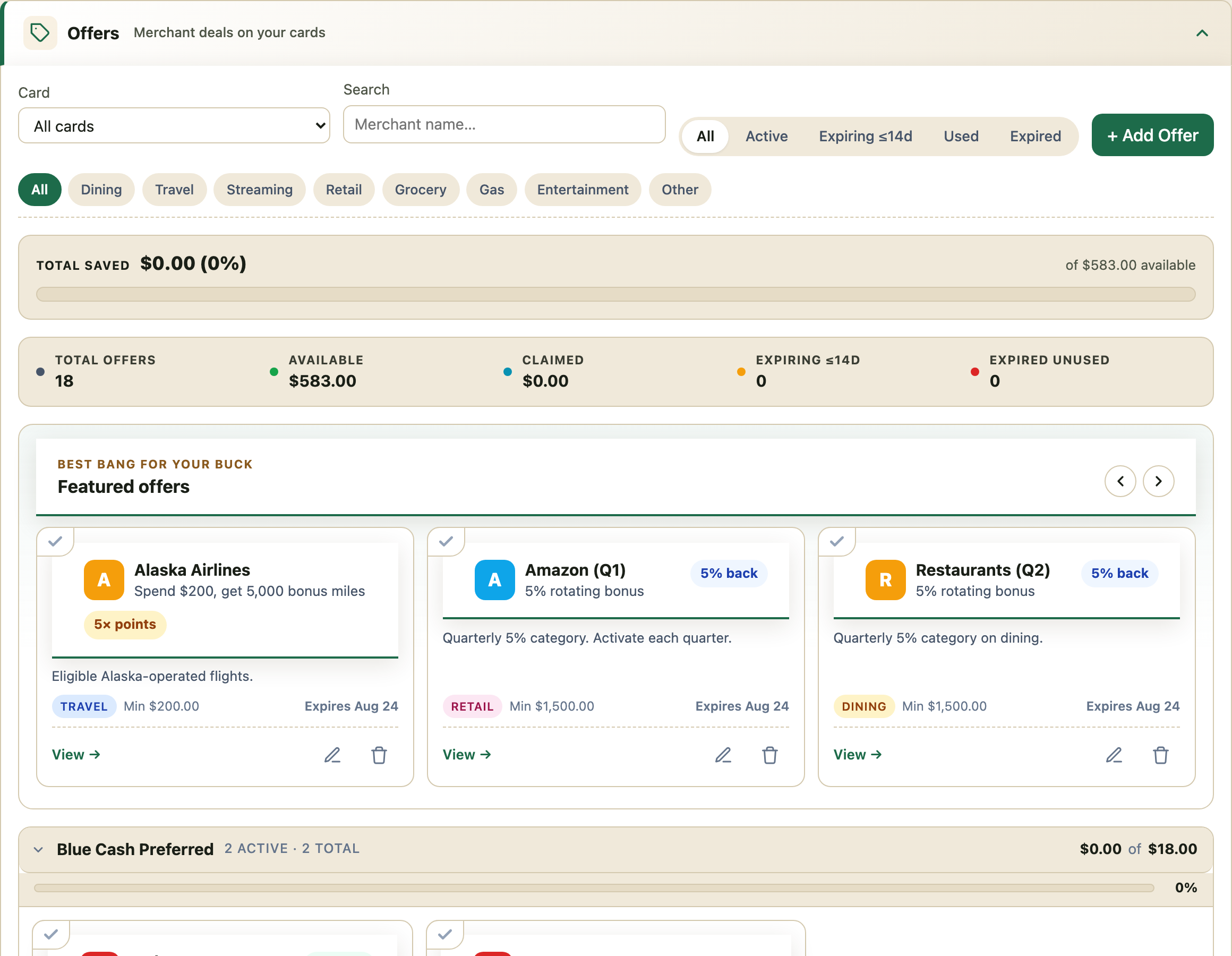
Amex Offers, Chase Offers, BoA Deals. They pile up and expire silently. Finstracker pulls them into one searchable list per card, with a "Best bang for your buck" row up top so the ones with real ROI don't get buried under the 2% candle-shop coupons.
Log spend (or don't)
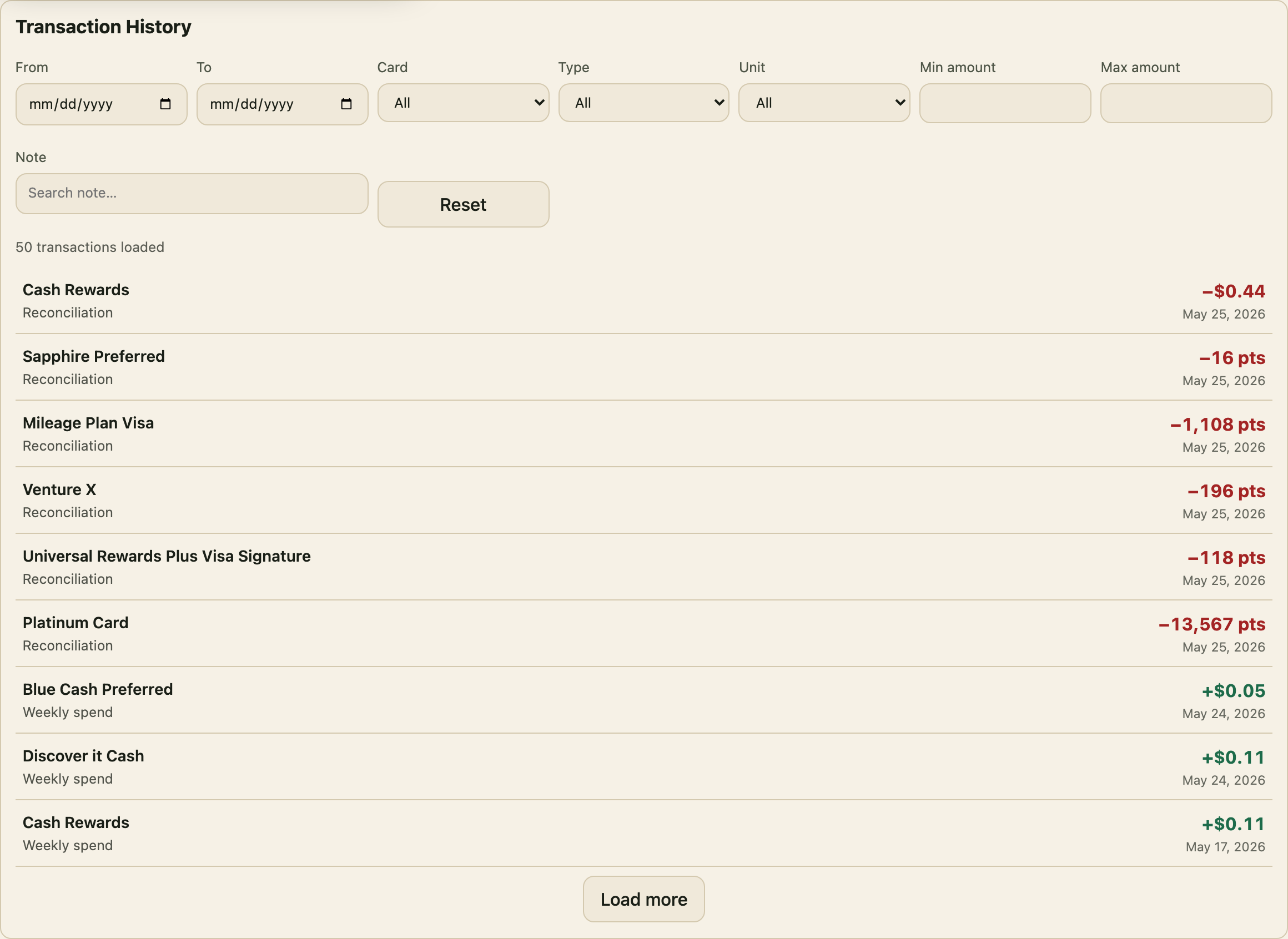
Every earn and redeem lands in the transaction log so the dashboard chart has something to chart. You can punch transactions in by hand, but most people just let the weekly reconciliation roll in from the catalog and edit anything that looks off.
That's the whole product.
Once you've added a couple of cards, the rest is just remembering to glance at it once a week.