
Overview
Fins Sync is a Manifest V3 Chrome extension that pulls your live point balance off your issuer's portal and posts the delta back to your Finstracker account. You sign in once on finstracker.com, click Sync on a card, log in to the issuer in the tab it opens, and the number that appears in the portal lands in your tracker a second later.
It is not on the Chrome Web Store yet. While the listing is in review, you install it the developer way: clone the finstracker-extension repo and load it as an unpacked extension. Updates are a git pull plus a reload click.
Install
You need git and a Chromium browser. Chrome, Edge, Brave, Arc, and Vivaldi all share the same extension format.
Clone the repo
git clone https://github.com/egomez3412/finstracker-extension.git
cd finstracker-extension
That's the whole extension. The repo root is the folder Chrome loads.
Open the extensions page
In your browser, paste chrome://extensions into the address bar (Edge: edge://extensions, Brave: brave://extensions).
Enable Developer mode
Flip the toggle in the top-right of the page. This unlocks the Load unpacked, Pack extension, and Update buttons in the toolbar above the extensions list.
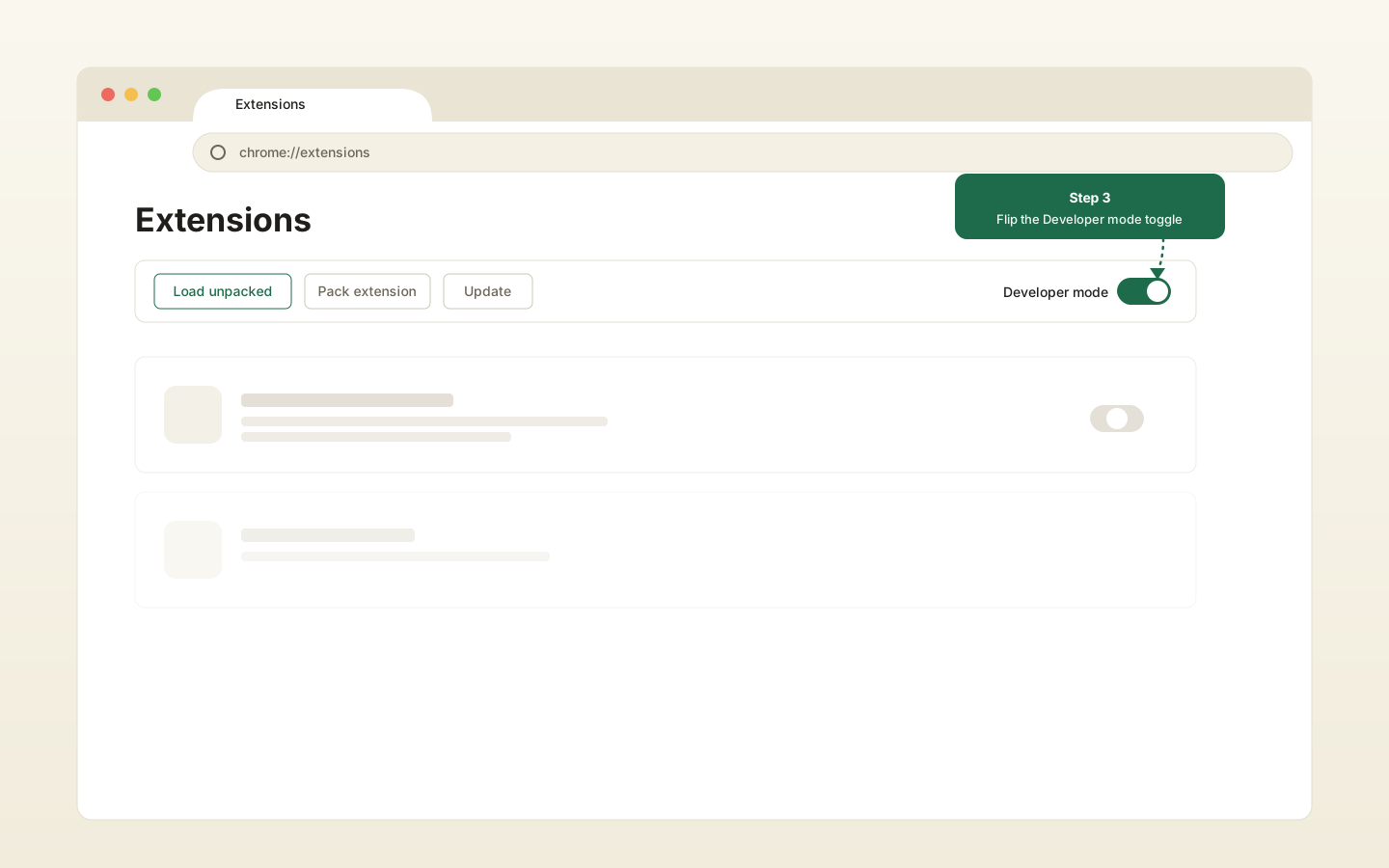
chrome://extensions.Load unpacked
Click Load unpacked. In the file picker, pick the cloned finstracker-extension/ folder itself. That's the folder that contains manifest.json at its root.
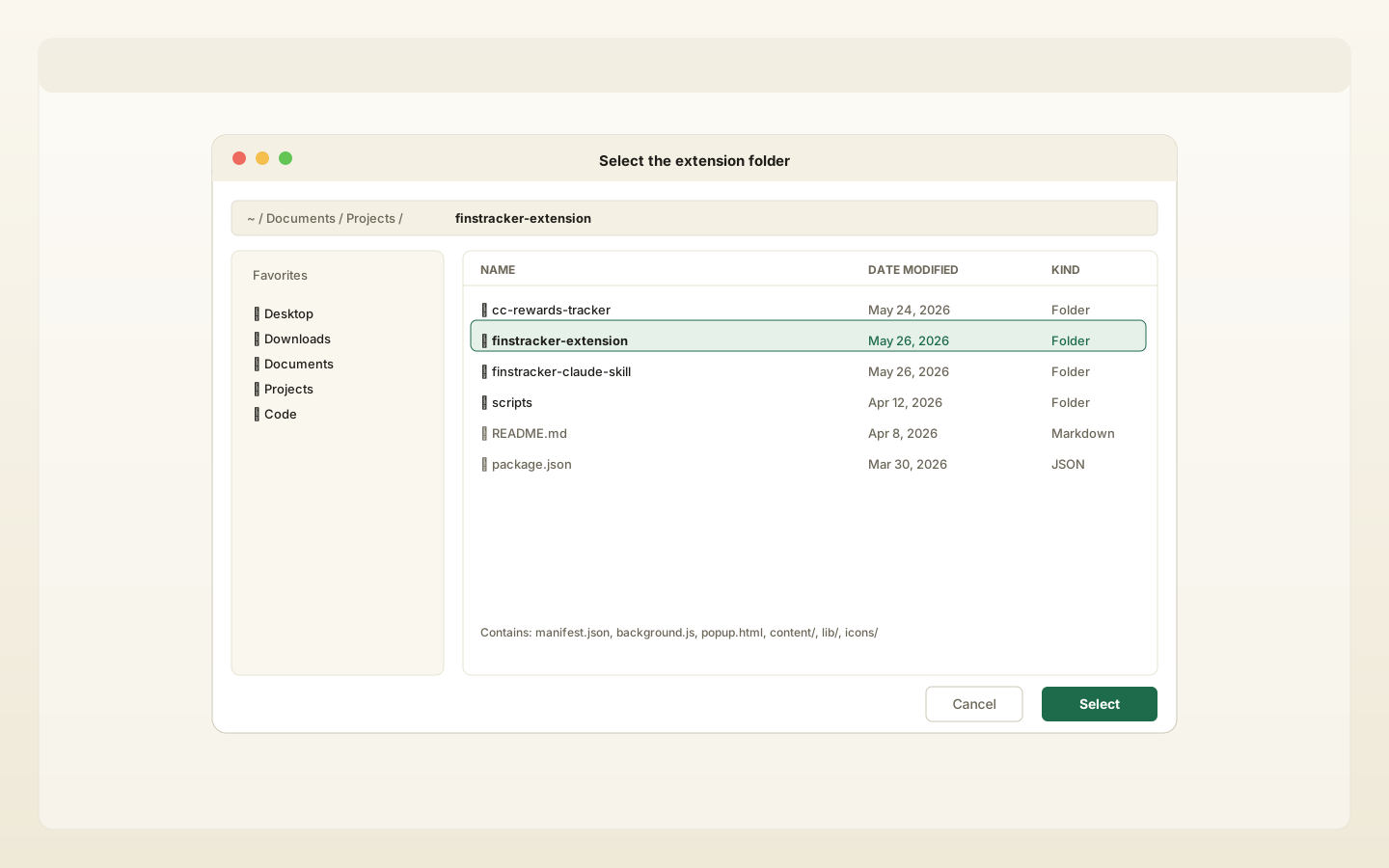
finstracker-extension/ folder.Pin the extension
Click the puzzle-piece icon in the Chrome toolbar, find Fins Sync, and click the pin. The Fins logo now stays in your toolbar.
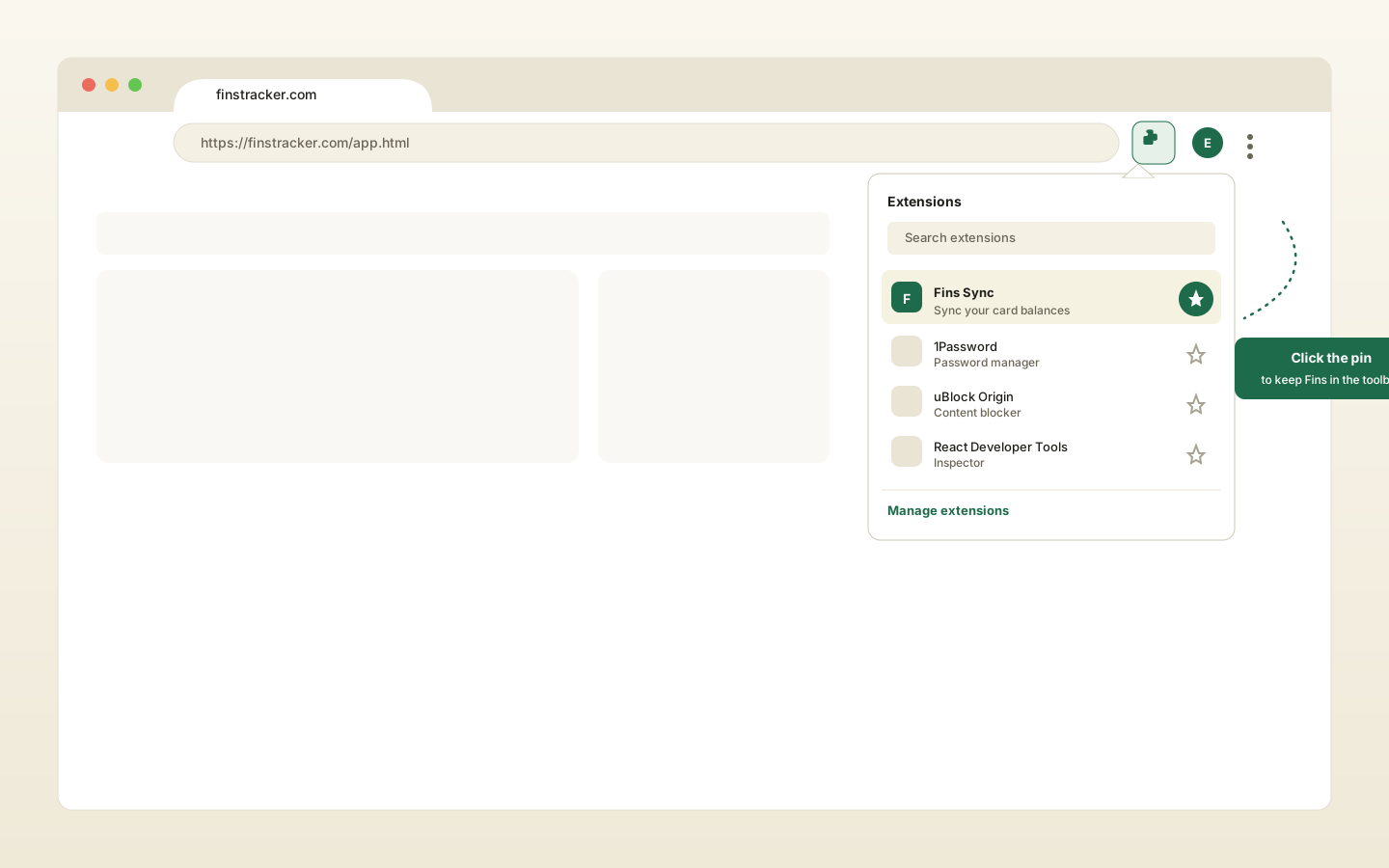
First run and sign-in
Click the pinned Fins icon. The side panel opens with a single button: Sign in on finstracker.com.
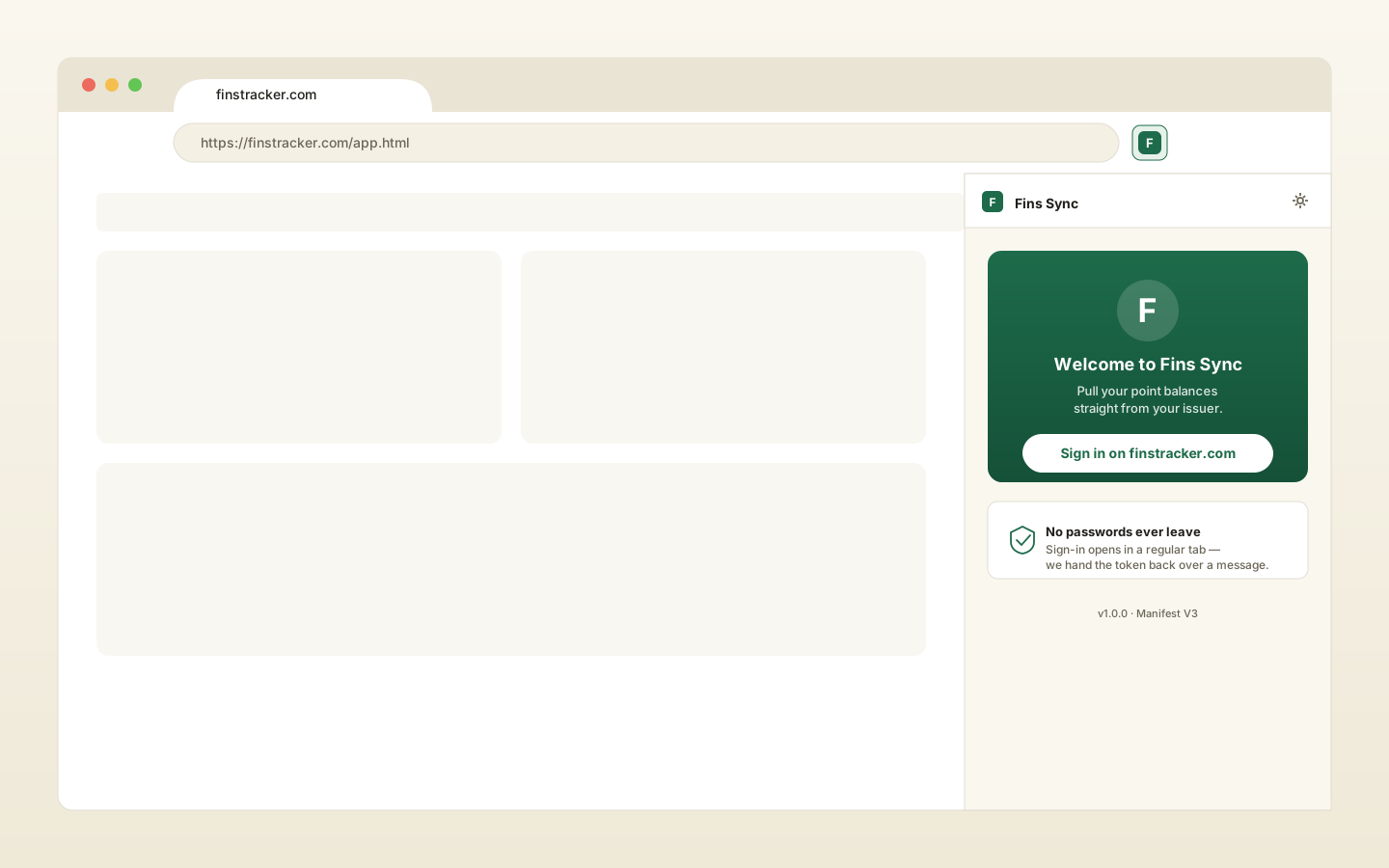
finstracker.com login page in a new tab.Click the button. A new tab opens at finstracker.com/login.html?source=extension…. Sign in with your existing account, either Google or username and password. Cloudflare Turnstile runs the same way it does on the regular login. The tab confirms "You're signed in" and the side panel auto-refreshes to your cards list.
chrome.runtime.sendMessage, and the extension never sees your password.
Sync a card
Each tile in the side panel has a Sync button. Click it on the card you want to refresh.
- A new tab opens at the issuer's login URL (Chase Ultimate Rewards, Amex MR, Capital One Rewards, etc.).
- You log in. Multi-factor, passkeys, and SMS codes are all on you. The extension never touches credentials, it just watches the tab.
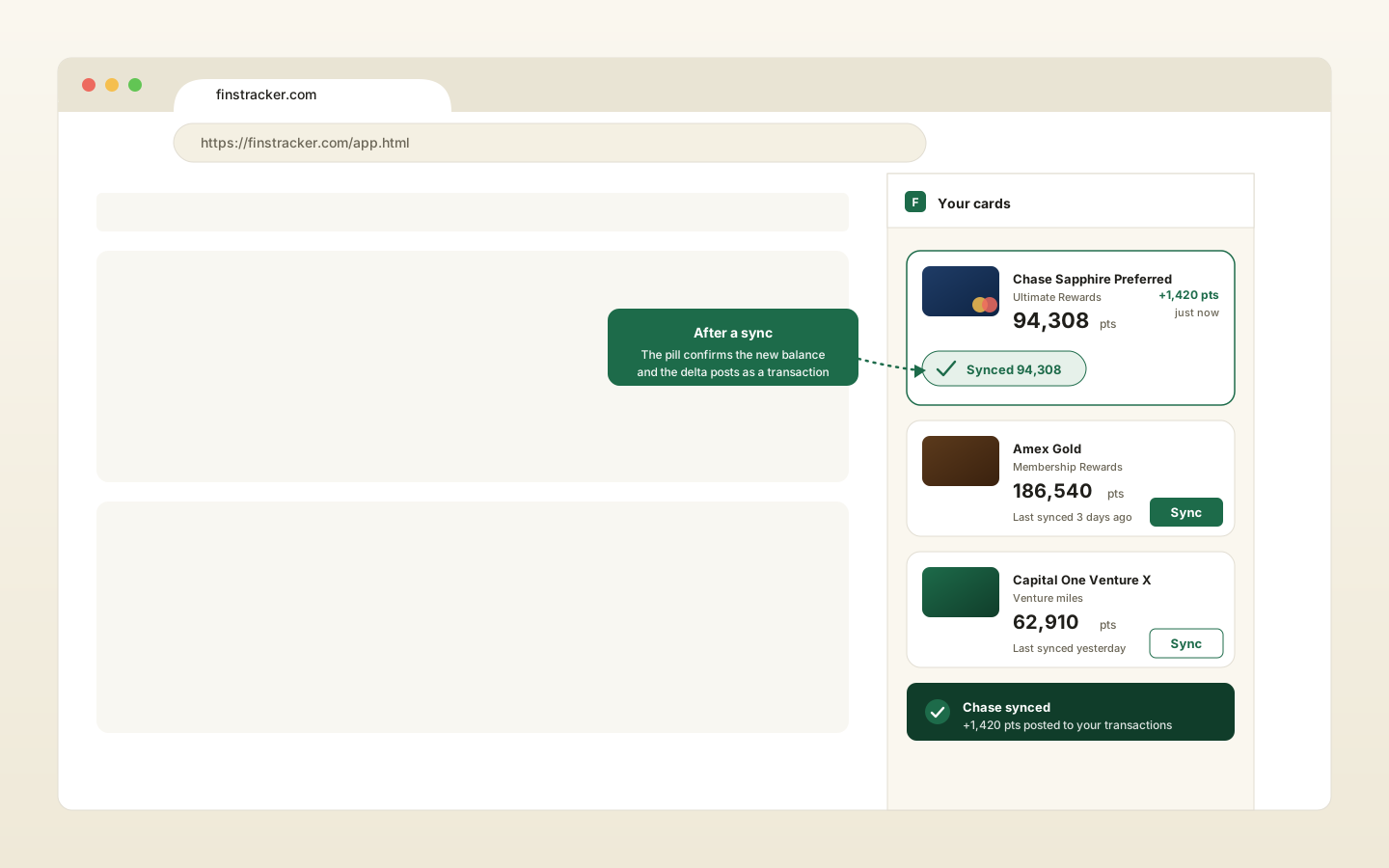
- When the points page renders, the extension scrapes the configured selector, parses the first number, and posts a
POST /api/transactionswith a delta.earnif the new balance is higher,redeemif lower, no-op if equal. - The card tile shows "Synced 94,308" with a green checkmark for a few seconds, then settles back to idle.
Configure a portal (when scraping fails)
Issuer DOMs change every few weeks. If the default selector misses the number, the card surfaces a "Couldn't pull <card>" banner with a Pick element manually button.
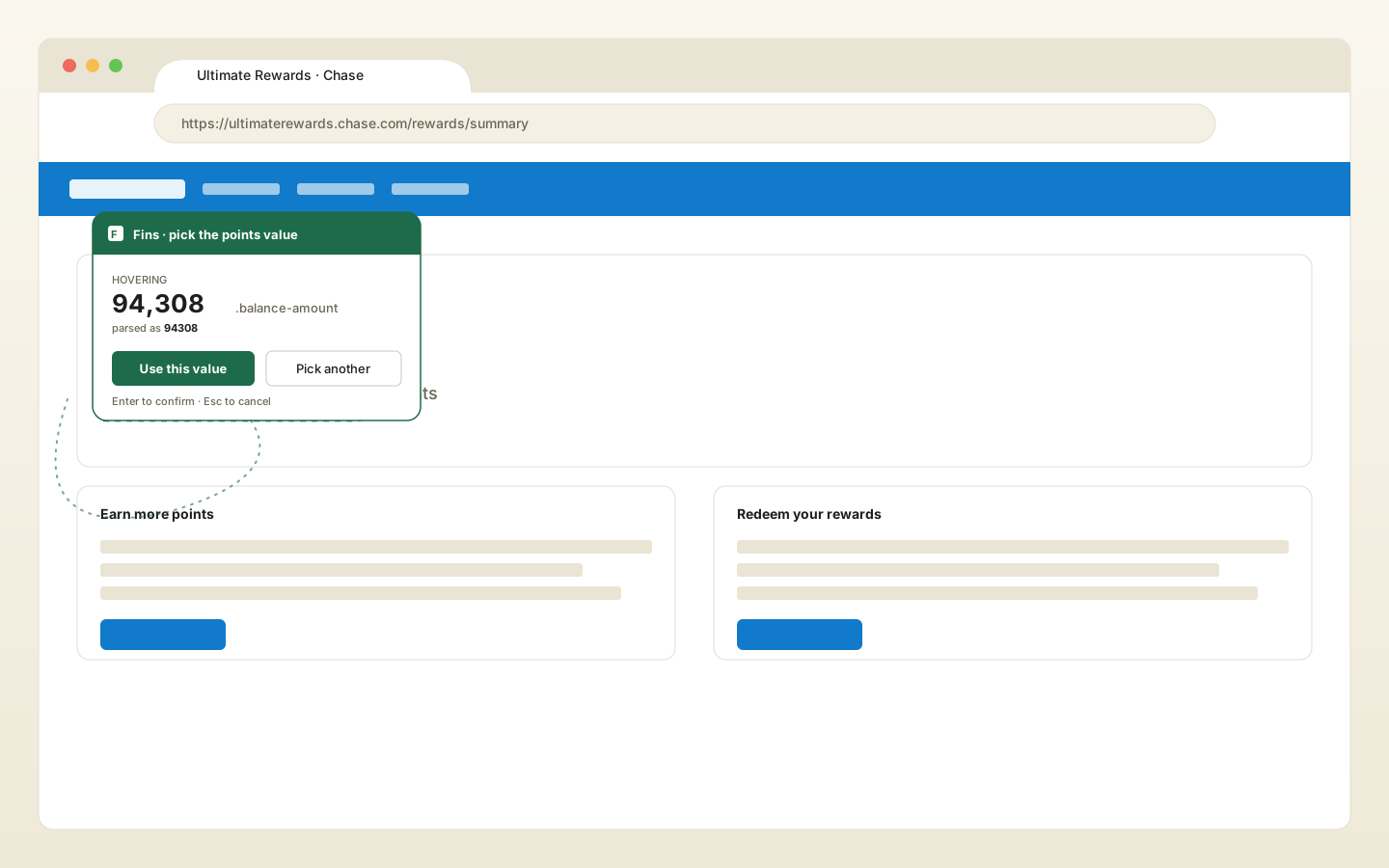
- Click Pick element manually. The issuer tab reopens with a small Finstracker HUD floating in the top-left.
- Hover the points value on the page. Elements are outlined as you move, and the HUD shows a live preview of what number it sees.
- Click the value. The HUD locks on it. Hit Use this value (or press Enter) to confirm, Pick another to retry, or Cancel / Esc to abort.
The page URL pattern and a stable CSS selector are saved as a per-card override and reused for every future sync. You only have to do this once per card per portal redesign.
Auto-detect mode
Open the extension settings (gear icon, top-right of the side panel) and toggle Auto-detect on known portals on. From then on, the next time you visit any issuer portal you already have a card for, the extension scrapes silently and shows a desktop notification with the result. No button click required.
If you own more than one card from the same issuer, auto-detect waits for you to click Sync on a specific card instead, so it doesn't guess wrong.
Updating
From the cloned repo:
cd finstracker-extension
git pull
Then go to chrome://extensions and click the circular Reload arrow on the Fins Sync card. Your saved settings, JWT, and portal overrides all survive the reload. They live in chrome.storage.local, which is per-extension-ID, not per-version.
Troubleshooting
| Symptom | Fix |
|---|---|
| "Load unpacked" button is greyed out. | Developer mode is off. Flip the top-right toggle on chrome://extensions. |
| "Manifest file is missing or unreadable." | You picked a parent folder instead of the cloned finstracker-extension/ folder. Reload unpacked and pick the folder that contains manifest.json. |
| Side panel opens but "Sign in on finstracker.com" does nothing. | A popup blocker is fighting Chrome. Click the icon a second time, or allow popups for finstracker.com. |
| You signed in but the side panel still shows the sign-in screen. | The tab couldn't reach the extension (rare). Close the tab, reopen the side panel, click Sign in again. |
| Sync says "Couldn't pull <card>". | The issuer redesigned their DOM. Click Pick element manually and re-select the points value. Full instructions above. |
| Sync opens a tab but never reads the number. | You're on a multi-factor or interstitial page. Finish logging in. The extension watches the tab and runs as soon as the actual points page renders. |
Running a local dev server (npm run dev) and the extension keeps signing you into localhost. |
That's by design. The extension probes http://localhost:3000/api/health on every wake and auto-switches the API base if it's reachable, because a JWT issued by localhost can't auth against finstracker.com. Stop the dev server (or change the backend URL in Settings) to point back at production. |
Security & privacy
- The extension only stores three things in
chrome.storage.local: your JWT, your user profile, and your per-card portal overrides. Nothing is sent off-device except calls to your Finstracker backend. - Your password is entered on
finstracker.comin a normal browser tab, not inside the extension. The web tab posts the JWT back viachrome.runtime.sendMessage, scoped to your specific extension ID. - The page extractor runs via
chrome.scripting.executeScriptand only returns the text content of the element you (or the default selector) picked. It has no access to your tokens, cookies, or form fields on the issuer site. - Host permissions are scoped to known issuer domains plus your Finstracker backend. The extension cannot read pages on sites it isn't already permitted to.
- Every scraped number is re-validated server-side by the existing transaction validators in
routes/transactions.js(no negative amounts, no redeem above balance, etc.).